Import & Export
The Download and Upload buttons in the Custom Token Overrides header let you export your current token overrides as a CSS file and import overrides from an existing CSS file.
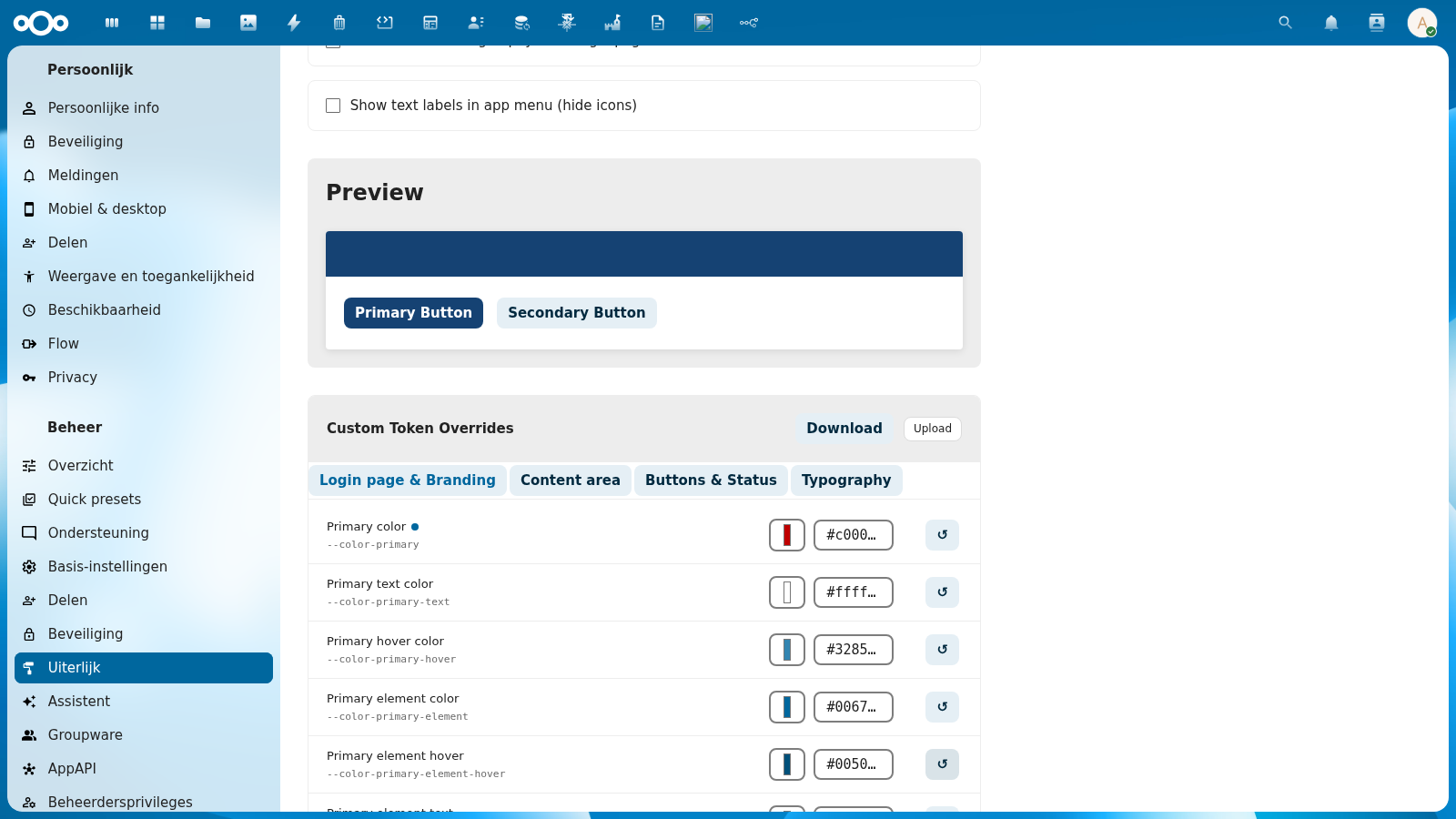
Download (Export)
Click Download to download your current custom token overrides as a CSS file named custom-overrides.css.
The exported file contains a :root {} block with only the tokens you have explicitly overridden — tokens that match the token set's defaults are not included.
Example exported file:
:root {
  --color-primary: #c00000;
  --color-primary-hover: #a00000;
}
If you have no overrides, the downloaded file contains an empty :root {} block.
Use cases:
- Back up your customizations before switching token sets
- Transfer overrides from one Nextcloud instance to another
- Version-control your organization's token customizations
- Share a theme configuration with colleagues
Upload (Import)
Click Upload to import token overrides from a CSS file. The app parses the :root {} block from the uploaded file and applies matching tokens.
What happens during import:
- The CSS file is parsed to extract all CSS custom property declarations from
:root {} - Each token is checked against the list of editable tokens
- Known tokens are imported and applied as custom overrides
- Unknown tokens (not in the editable token list) are silently skipped
- Excluded tokens (read-only system tokens like
--color-main-background) are rejected with an error
After a successful import, the page shows a brief summary:
{ "status": "ok", "imported": 2, "skipped": 1 }
The imported values are applied immediately as a live preview. Click Save overrides to persist them.
Use cases:
- Restore a previously downloaded backup
- Import a token configuration from another instance
- Apply a pre-built token theme from a design team
Supported CSS Format
The import accepts standard CSS files with a :root {} block:
:root {
  --color-primary: #005A9C;
  --color-primary-hover: #004080;
  --font-face: 'Fira Sans', sans-serif;
}
- Each line must be in the format
--property-name: value; - Multiple values per line are not supported
- Only CSS custom properties (starting with
--) are parsed - Comments and other CSS rules outside
:root {}are ignored
Editable vs. Excluded Tokens
The import/export only operates on the 53 tokens shown in the token editor tabs. Some Nextcloud CSS variables are system-managed and cannot be overridden:
--color-main-background— managed by Nextcloud theming--color-main-text— managed by Nextcloud theming- Other internal Nextcloud variables
Attempting to import an excluded token via the API returns an HTTP 400 error. During file upload, excluded tokens are counted as skipped.
Command Line Alternative
You can also manage overrides directly via the filesystem or Nextcloud's occ command:
# View current overrides file
cat /var/www/html/custom_apps/nldesign/css/custom-overrides.css

# Reset all overrides
echo ':root {}' > /var/www/html/custom_apps/nldesign/css/custom-overrides.css
Or via the REST API:
# Get current overrides
curl -u admin:password http://nextcloud.example.com/apps/nldesign/api/settings/overrides

# Set a specific override
curl -u admin:password -X POST \
  -H 'Content-Type: application/json' \
  -d '{"overrides": {"--color-primary": "#005A9C"}}' \
  http://nextcloud.example.com/apps/nldesign/api/settings/overrides